Evolving a cross-platform security product, reaching a 20 million strong userbase / Avast Secure Browser
20M+
Userbase
+8%
Activation rate
4.7
App store rating
20M+
Userbase
+8%
Activation rate
4.7
App store rating
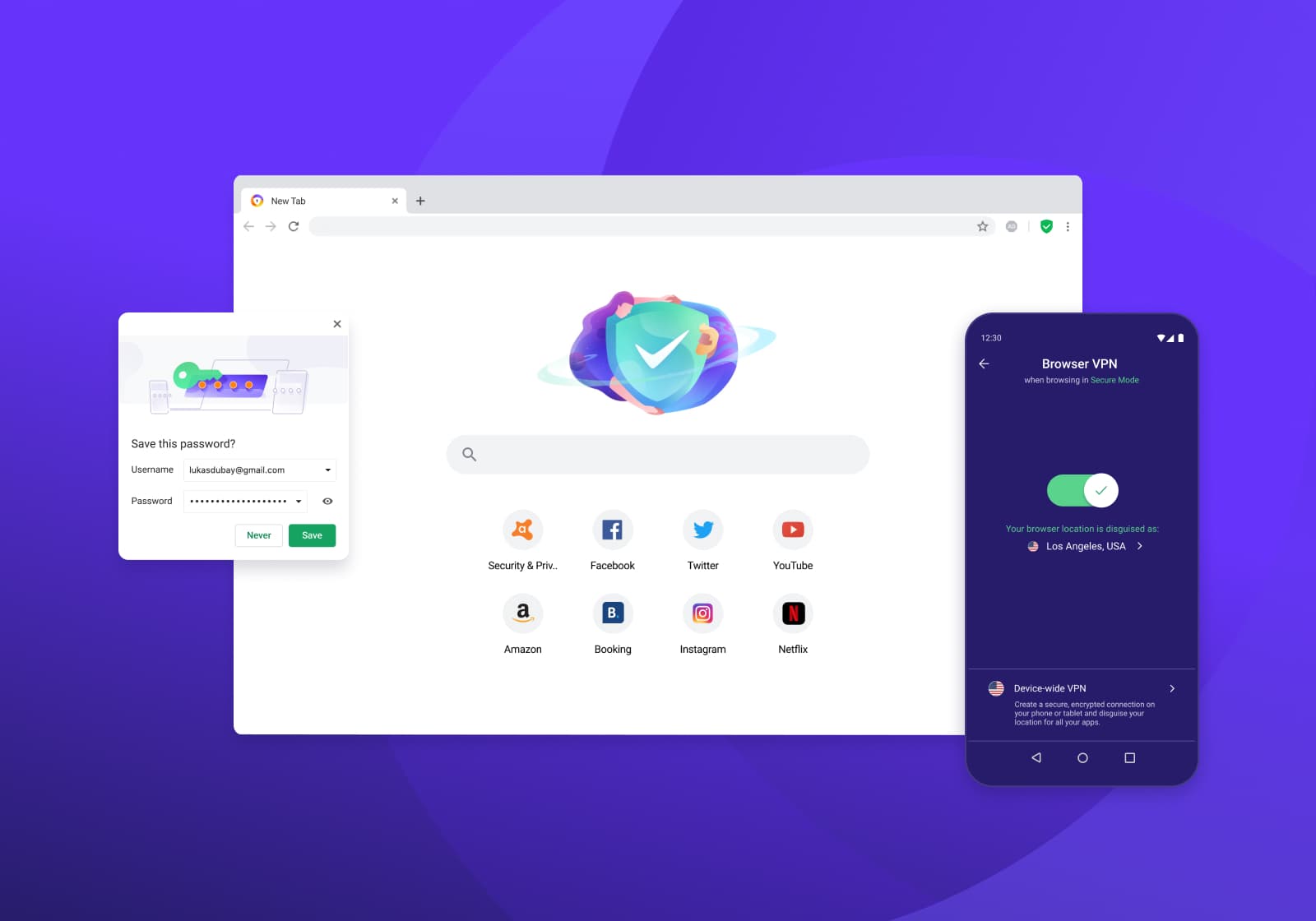
Scope
- UX/UI Design
- Research
- Growth Strategy
- Prototyping
As part of a browser team, I had the opportunity to help launch and improve a Chromium-based product competing with security- and privacy-focused browsers such as Firefox and Brave.
I've had the opportunity to work on many areas of the product, from participating in research sessions & user interviews, defining the jobs to be done and consequent UX & flows of various security enhancements, user account, onboarding and settings, visually designing and feedbacking implementation with the developers, illustrating and exploring the visual direction of the browser brand (including the product icon), designing the product page and more.
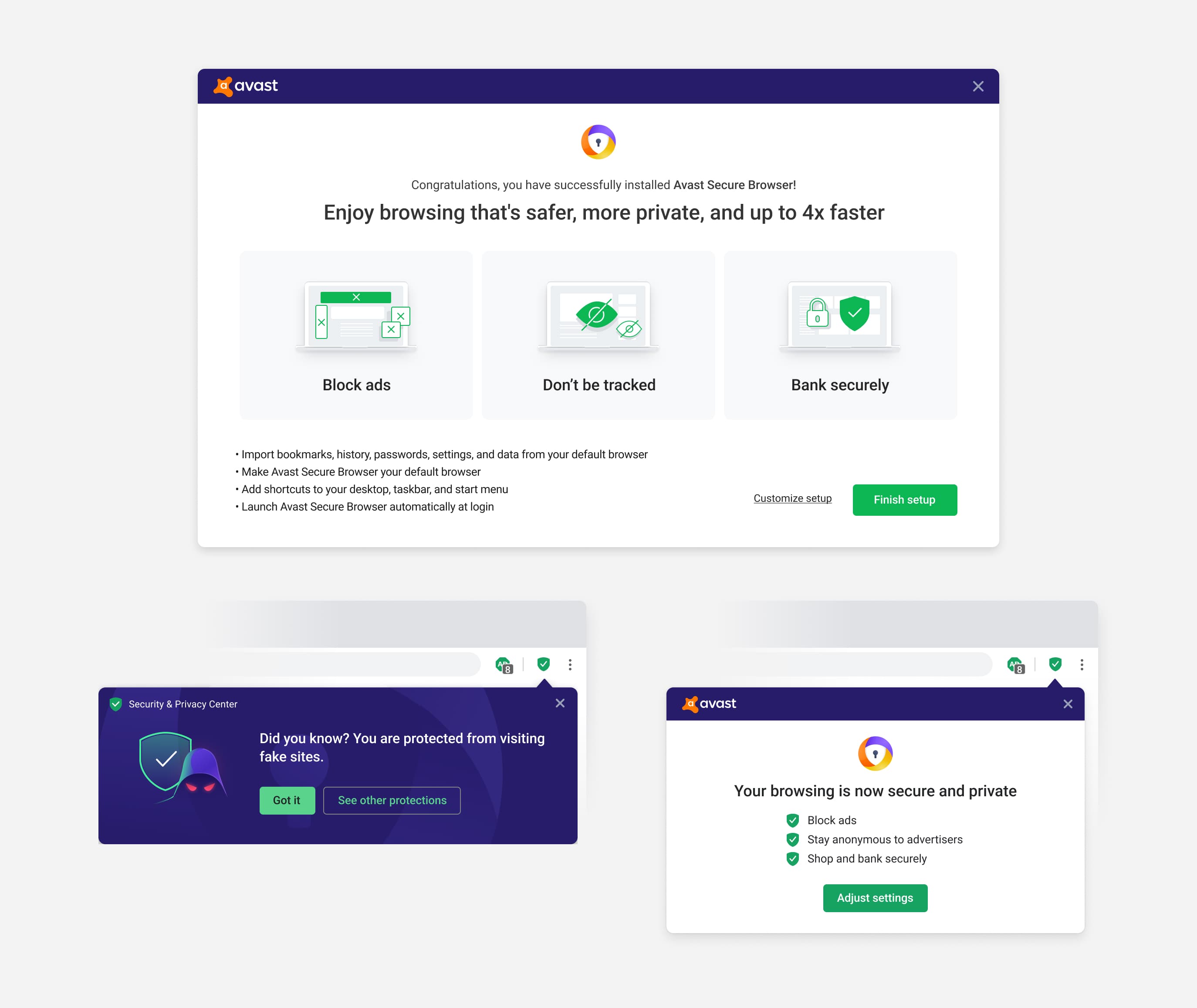
Increasing activation rate by 8%
One of the underlying strategies for the product was to make it as frictionless as possible for users to adopt, switching away from the elephant in the room - Chrome. By continuous improvement of the onboarding flow, A/B testing different nuances, from high-level layout organization, to iconography to headlines and even button color we were able to increase the activation of users by 8% over a period of 3 months.
The key mental model at play - make the switching costs minimal, by allowing the user to carry on where they left off in their current browser without friction.
Adblock as a balancing act between user and business
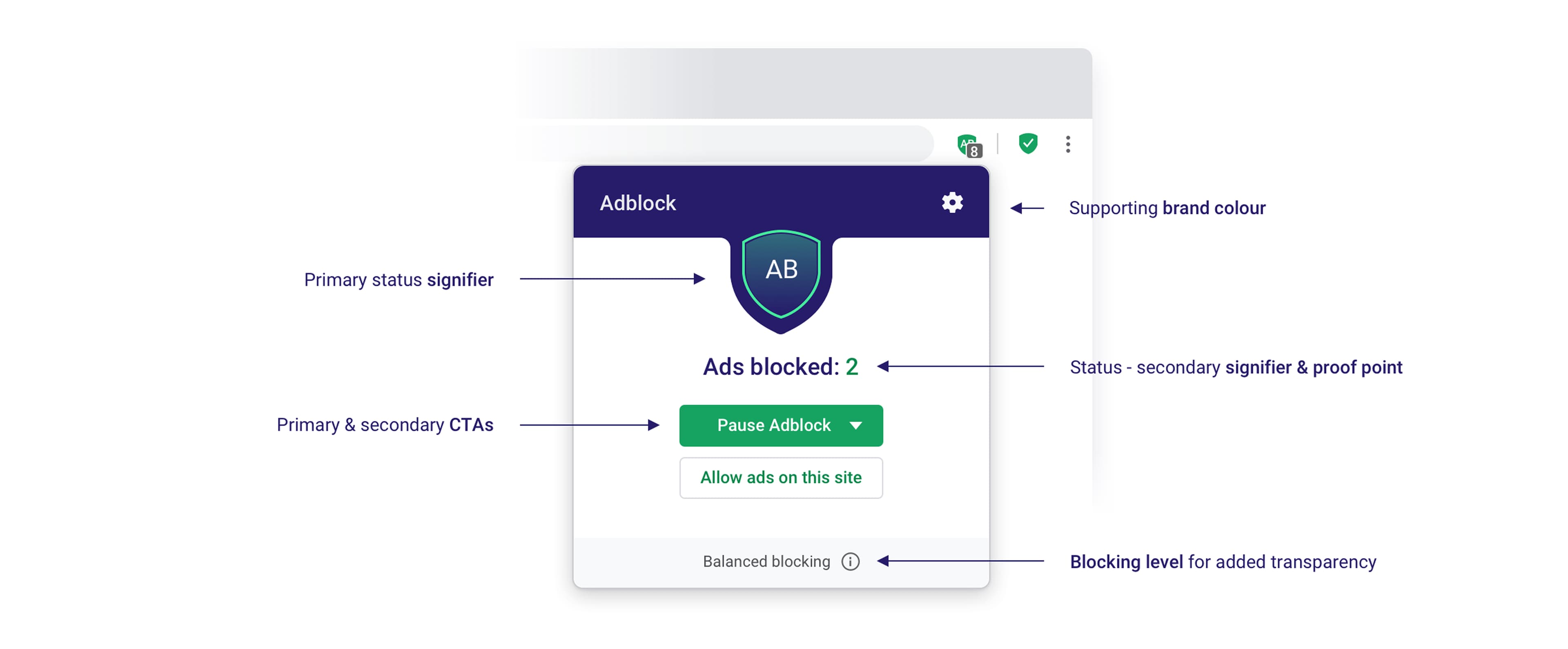
Product design work is a never-ending iterative process. A built-in Adblock was one of the core offerings of the product. The first version featured a number of issues that came up in user testing. Most importantly:
- it wasn't clear what the main button did, and its affordance was a problem too
- the use cases that Adblock v1 covered were limited
- user testing showed that pausing Adblock was a more natural primary action than whitelisting sites, and the interface lacked a strong reassurance signifier
- an element that would subconsciously make the people feel protected - it wasn't transparent which ads actually do get blocked and which do not - as whitelisting partner sites is the way adblocks are monetized. Thus, the effort to redesign it, make it more transparent, easier to understand yet not lessen the browser’s LTV - the key product metric.
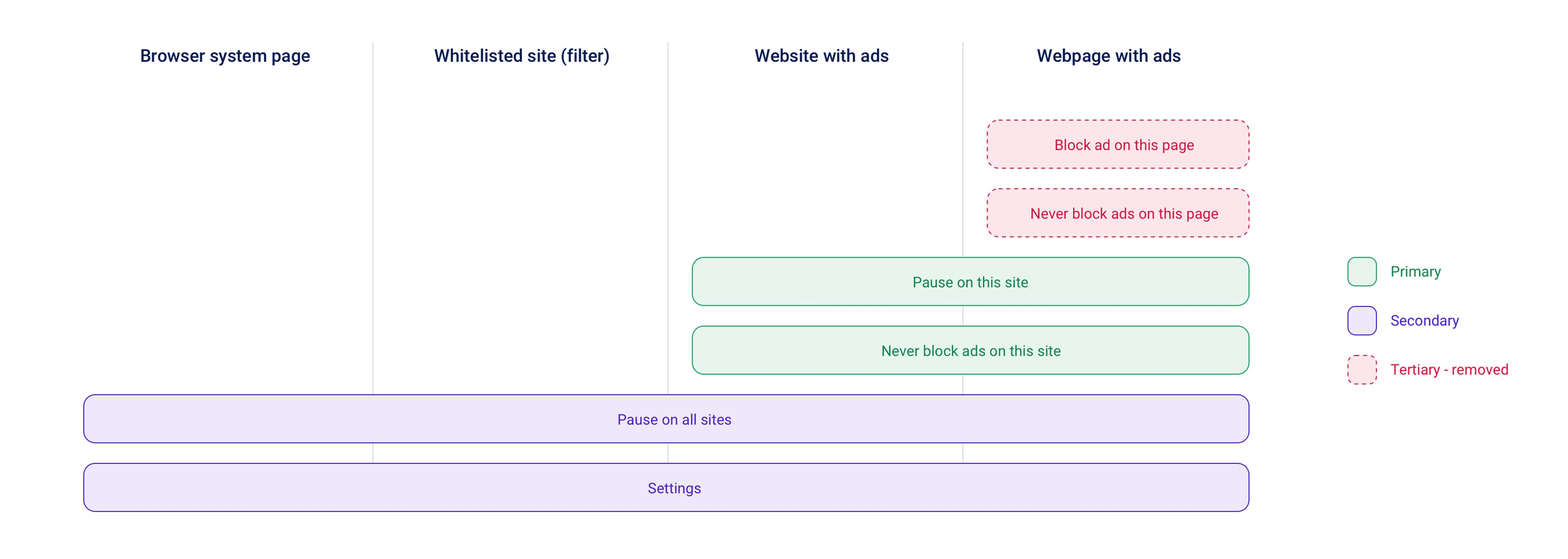
Competition analysis
The redesign started by examining the competition. Based on common patterns, we identified the most important use cases Adblock should handle, focusing on regular users first. Stakeholder requirements also called for greater transparency through custom filter lists.
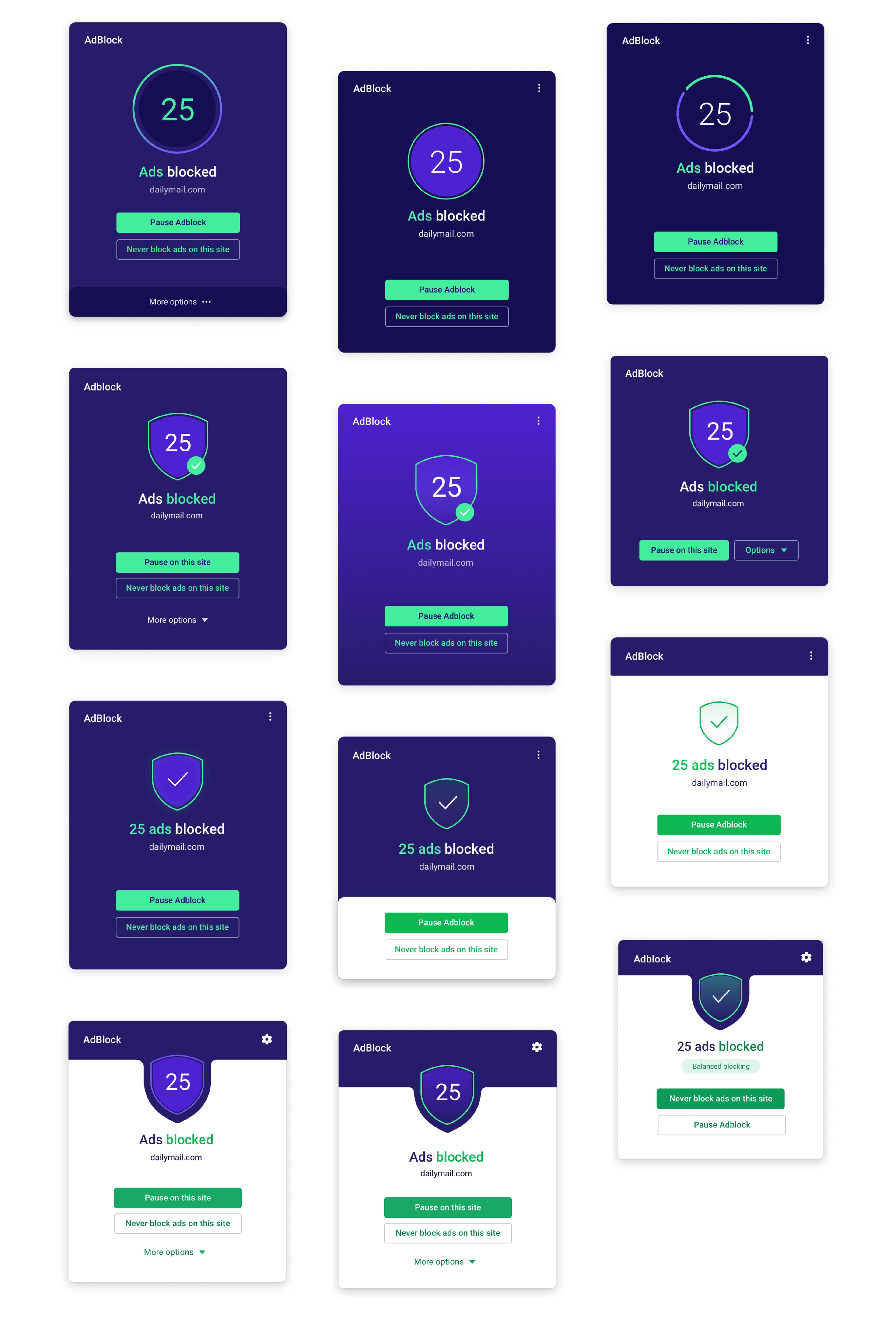
Iterating, prototyping & testing
Light interfaces perform best within a light browser theme. However, the original Adblock was completely devoid of any Avast branding, which could have had a negative long-term impact on overall brand awareness. The iterations took me through the journey from fully branded interface to finding the balance between the Avast theme and light browser theme.
Final design
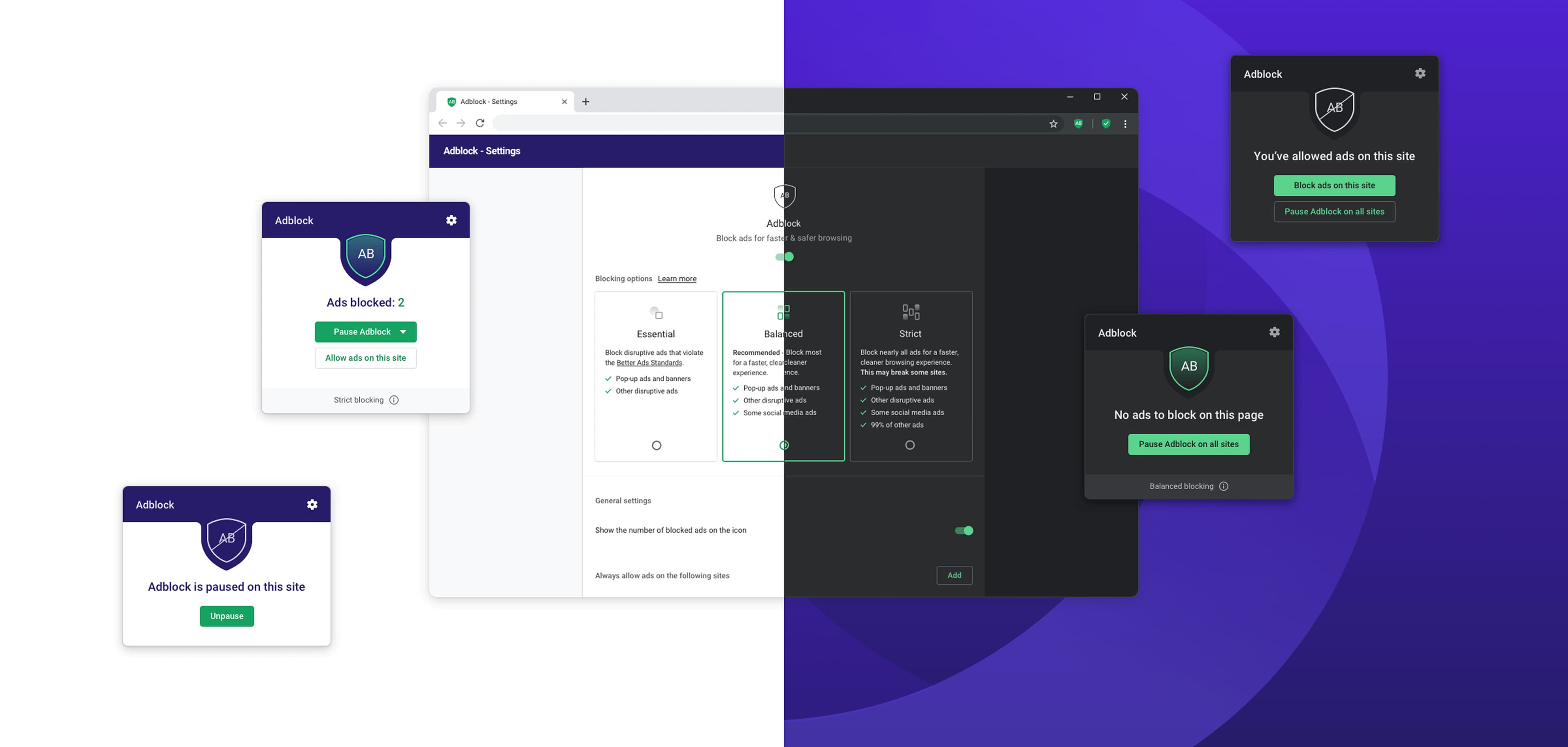
After a number of iterations and consecutive prototype testing, where we validated the usability, calls to action and overall understandability of the feature, we eventually arrived at destination Adblock V2.
Each feature in Avast Secure Browser requires its own settings. This was another aspect of the redesign we dived in, introducing a transparent tri-state to simplify the settings for the average user.
Cross-platform sync
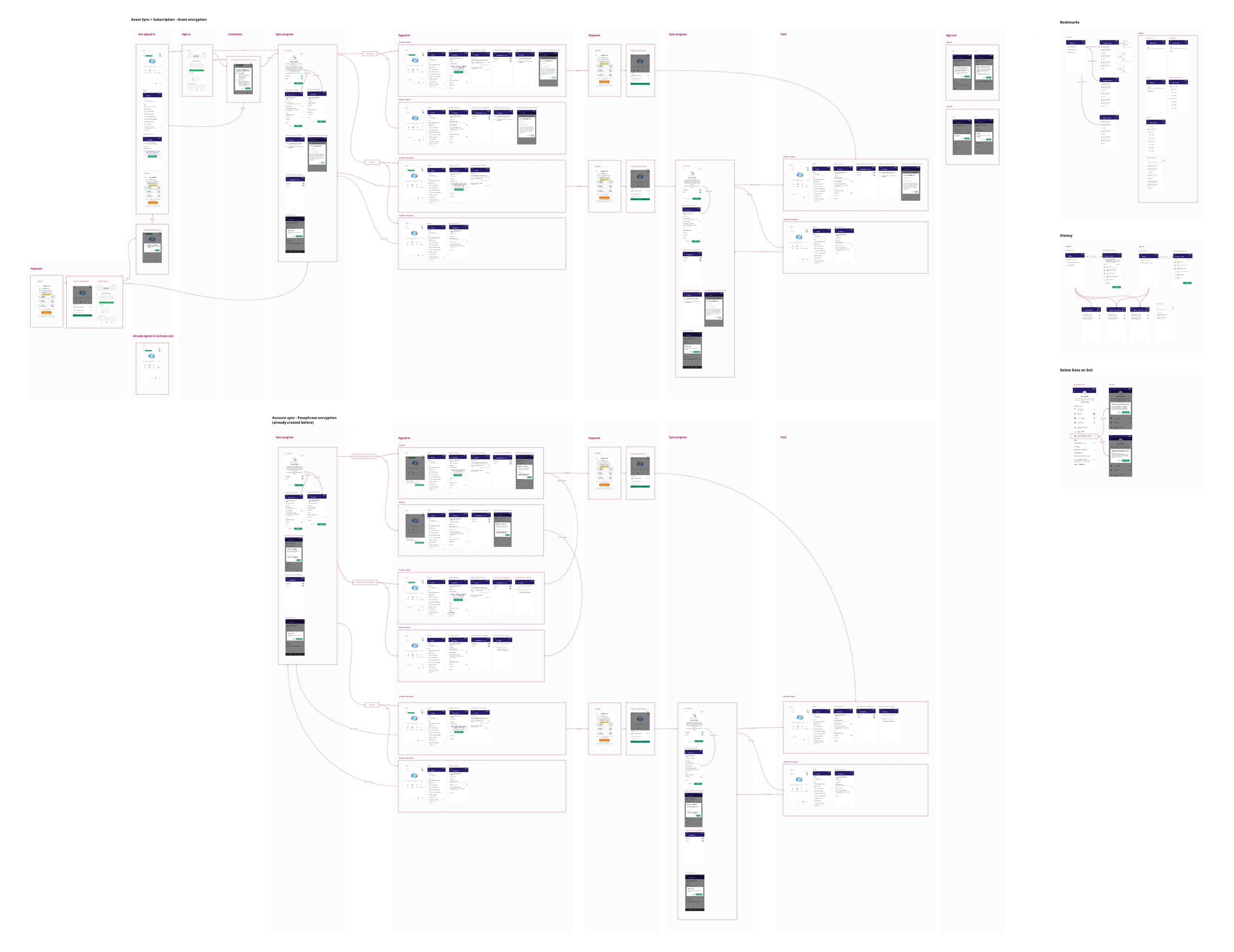
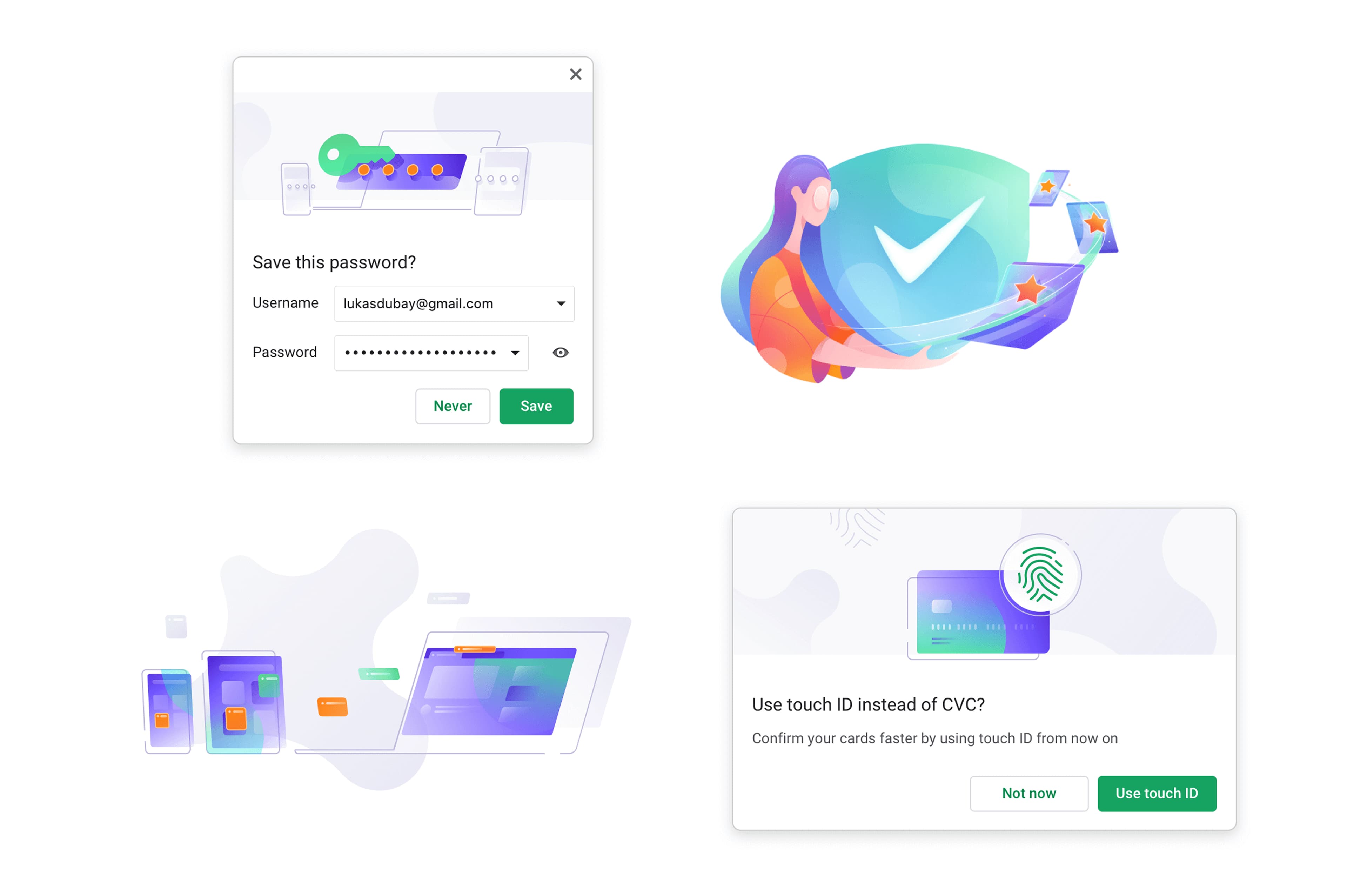
The most complex functionality I worked on was cross-platform syncing—enabling people to sync browsing data such as history, bookmarks, and passwords across Windows, Mac, Android, and iOS. Since Avast Secure Browser is Chromium-based, we could adapt Chrome's sync implementation and add flows that made sense for the Avast ecosystem and requirements.
Developing the feature spanned multiple months. We scrutinized every detail, learned the sync architecture, and created the flows, designs, and copy. Although our assumptions drew on an existing solution, we still tested a prototype, which revealed how people understood and perceived the functionality. We used those results in further design iterations.
It became especially complex when dealing with mobile implementation, as a single sign-in had to handle not only the sync flows, but also subscription of Pro mobile features.
Going mobile: Don't diverge far from industry standards
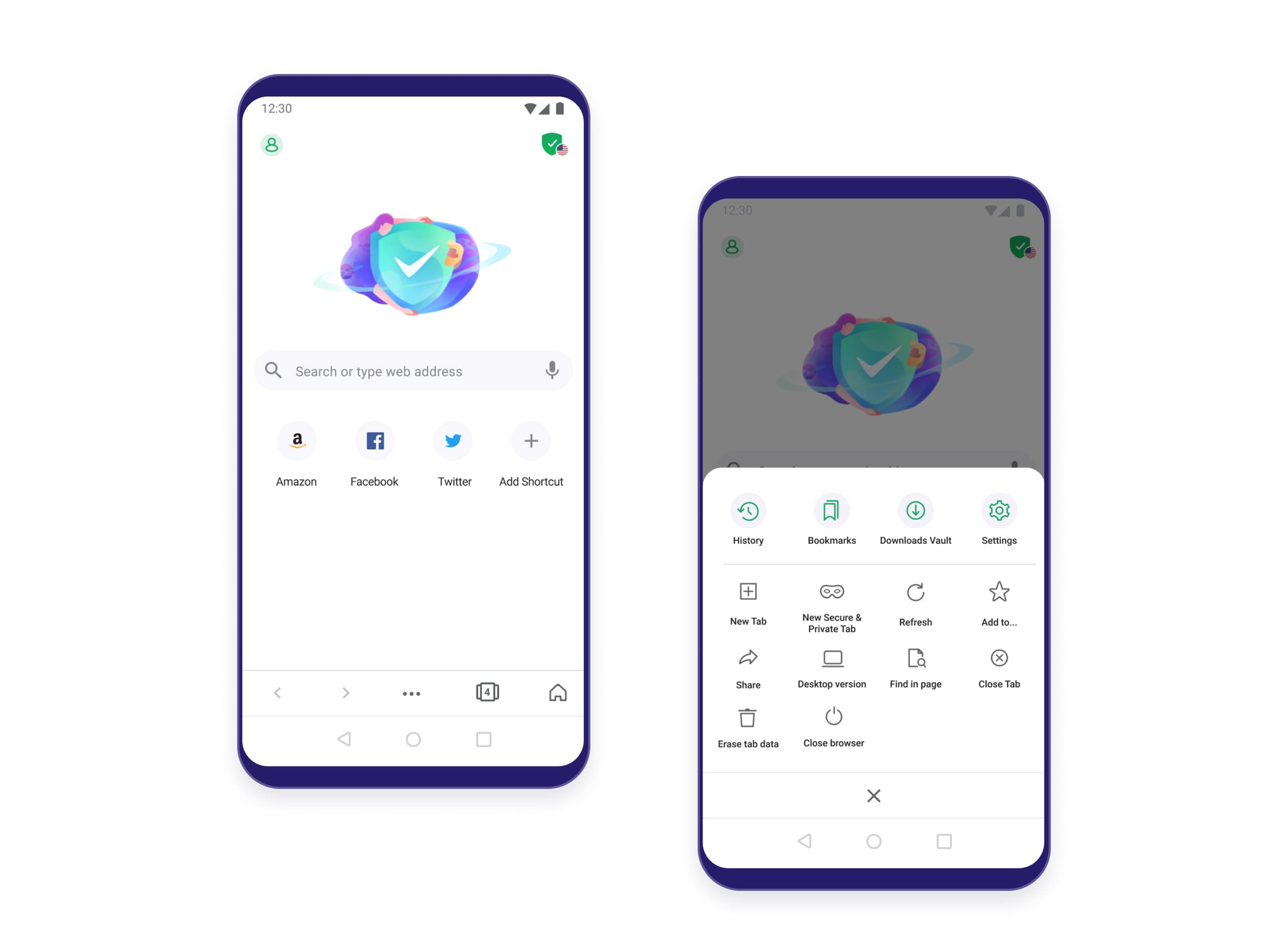
It's not wise to reinvent the wheel. Especially when people are so used to the browsing experience on Chrome with its 60% market share. We kept it close to our hearts and tried to keep the interactions similar, adding our own bits of flavor to show the unique value of the mobile offering where it made sense. Based on our testing, this approach worked.
Make the core value prominent
The basic value of the browser is its security. It's represented by the shield icon, the same way as on the desktop. It's a signifier that keeps the value present without requiring most users to tinker with settings. For the 20–30% of advanced users, a simplified set of security and privacy features is hidden behind the icon, with an option for experts to set advanced preferences. This approach creates a funnel that serves different user needs while keeping the core value visible to everyone. The VPN stands out as the major value proposition, so its flows require constant iteration to meet sales targets. As a baseline, we gave it its own screen with multiple options to upgrade to premium.
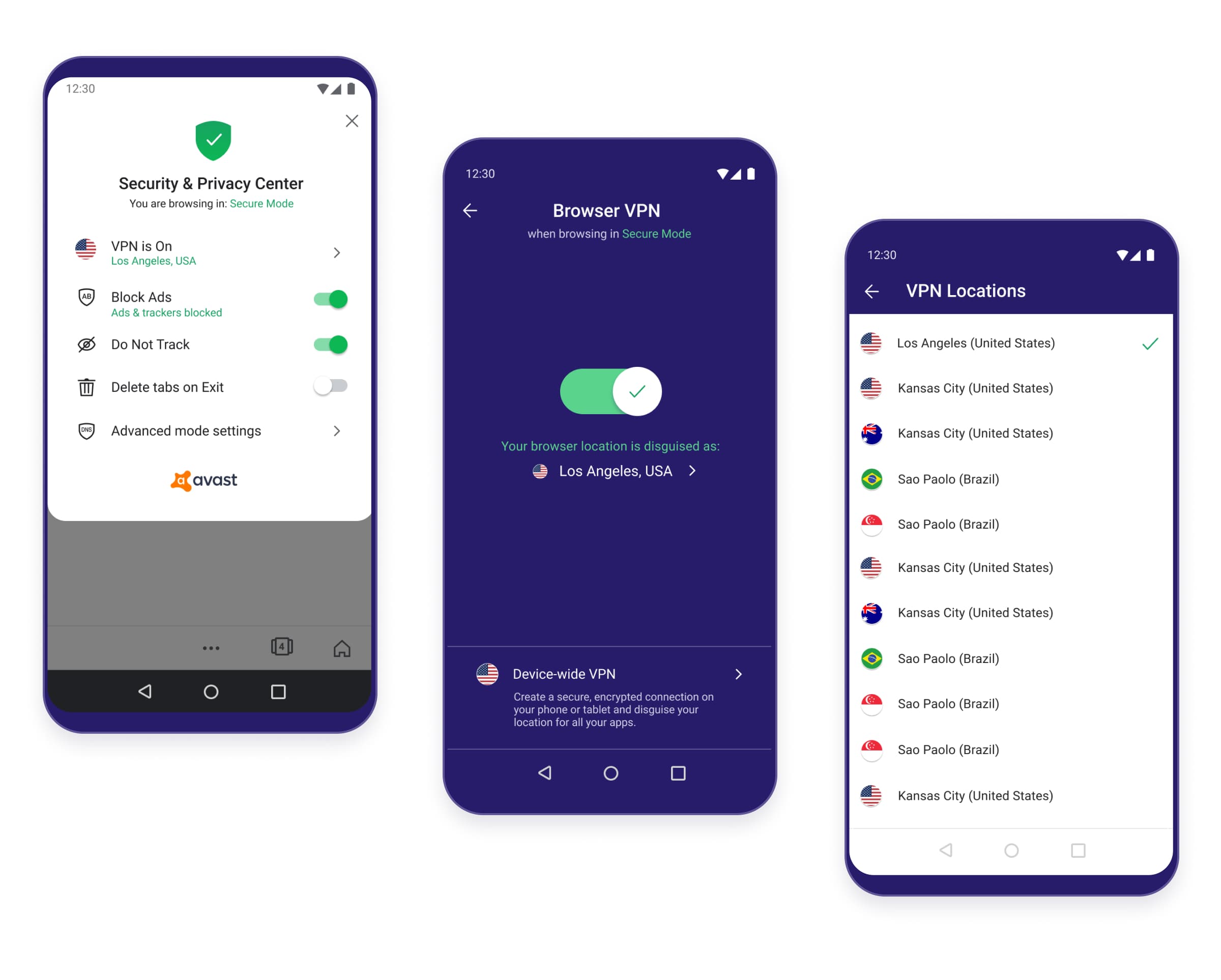
Consider major use cases
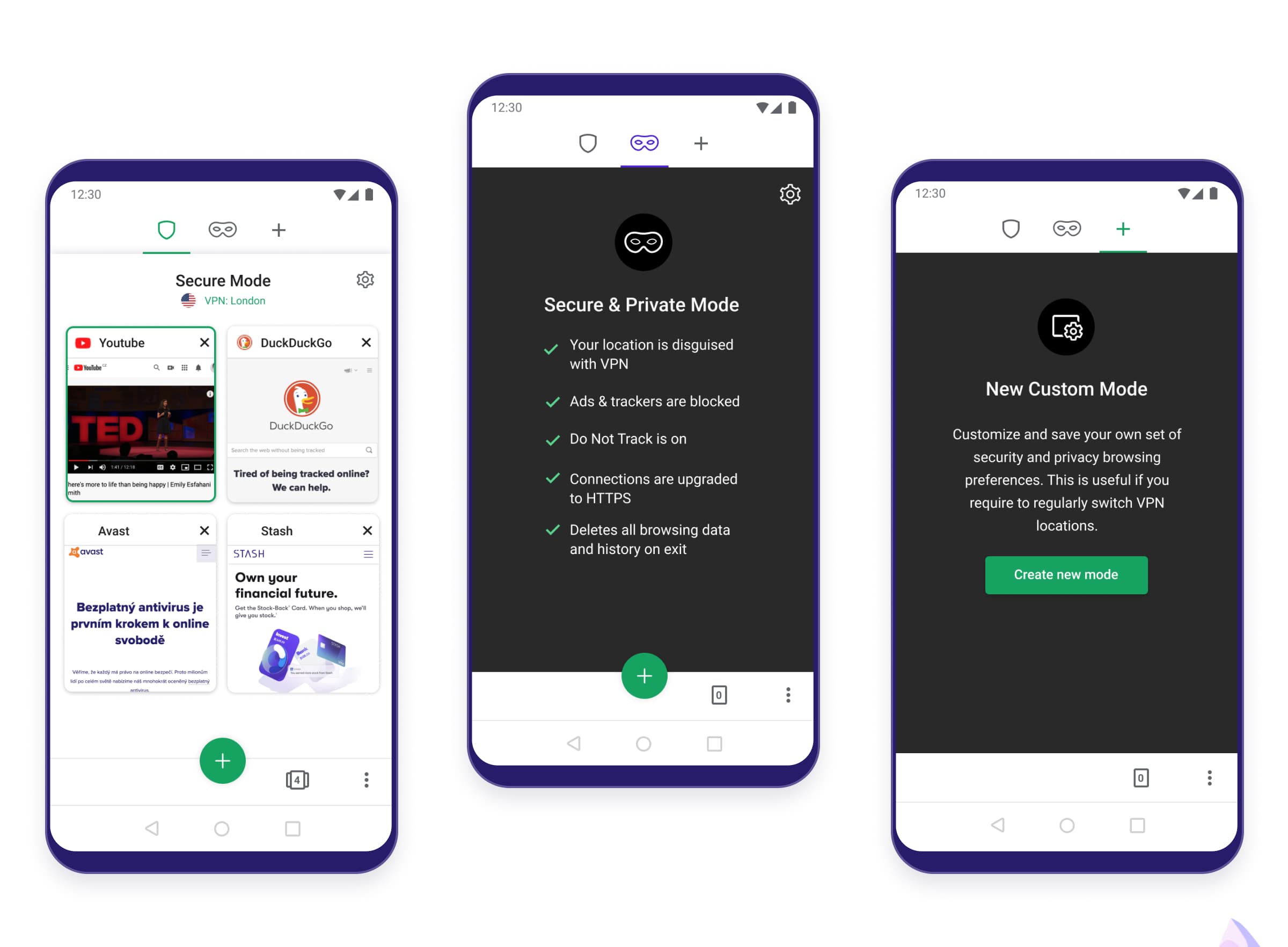
The originally acquired mobile solution featured a different mental model - it used the concept of 'zones' to create different browsing setups for multiple VPN locations. However, based on our testing, it was very difficult to understand and didn't follow any major mental models people associate with mobile browsing. Therefore we iterated and eventually changed 'zones' to 'browsing modes'. This was immediately understood.
We eventually simplified the number of modes to reflect two major use cases, with an option to create your own custom mode if a specific VPN setup is regularly needed:
- Secure Mode - a regular browsing mode with a set of customizable options, like VPN or adblocking, for your everyday browsing needs.
- Secure & Private Mode - used primarily if people want to stay private when doing those embarrassing searches (as opposed to Chrome's incognito, which doesn't really keep you private from your internet service provider or employer - a surprisingly high number of people don't know that).
The presence of VPN deals with these issues, even in the regular secure mode. On top of that, this one deletes the data automatically on exit.
Icon & Branding
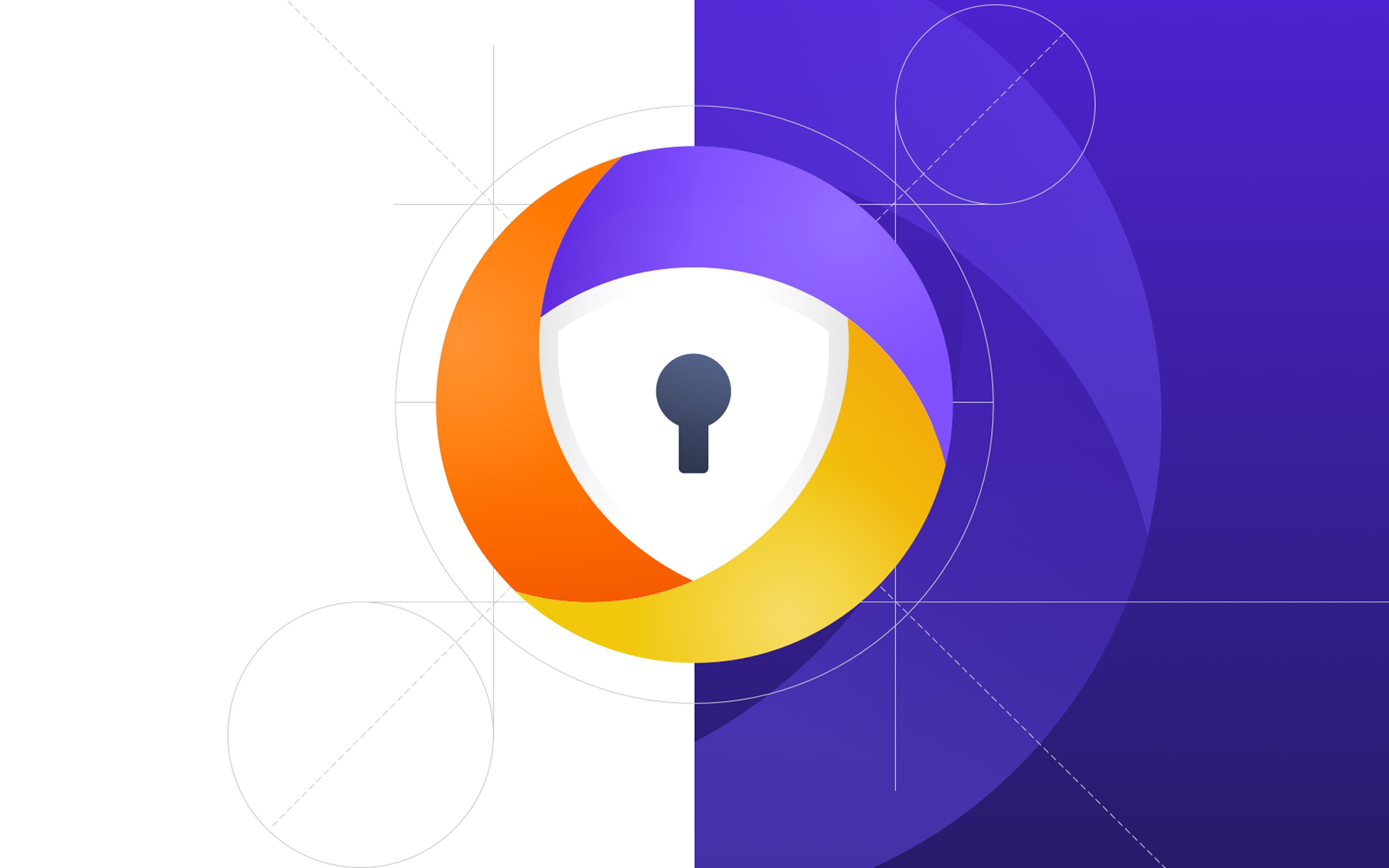
Prior to launching the product, an icon test was run with various styles and colors to see users' reactions and click-through rate. Eventually, this was the winning one, whose final design I got to refine.
Thank you for your time!
Credits
Team Avast, including Martin Smrt, William Drewett, Zbynek Sterba and others.
More case studies
Validating a low-code approach to real-time AI and data transformation / Fleak
Data streaming · AI Workflows
Scaling a designer consultation platform with an e-commerce marketplace / The Expert
E-commerce · CMS
Navigating traction: AI web builder turned sales content automation / Scene
AI web builder · Sales automation